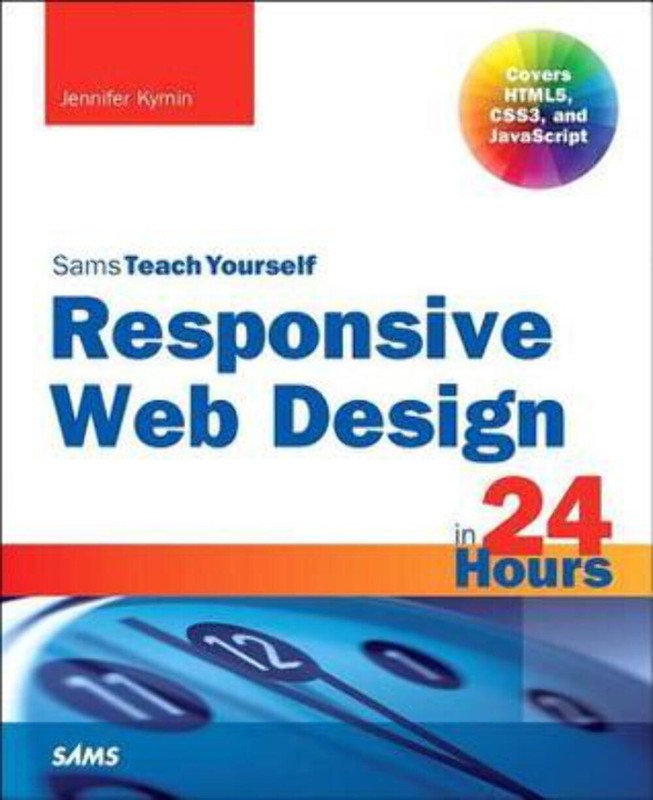
Responsive Web Design in 24 Hours by Jennifer Kyrnin (2014)
Responsive Web Design in 24 Hours by Jennifer Kyrnin (2014) Learn responsive web design (RWD) with HTML5, CSS3 & JavaScript in just 24 one-hour lessons Sams Teach Yourself Responsive Web Design in 24 Hours helps you create websites that work equally well on everything from smartphones and tablets to multi-screen monitors. This book&;s straightforward, step-by-step approach shows how to use HTML, CSS, and JavaScript to build the responsive sites today&;s users and clients want. In just a few hours, you&;ll be building layouts, sites, forms, and web apps that automatically adapt to virtually any device. Every lesson builds on what you&;ve already learned, giving you a rock-solid foundation for real-world success.Learn how to&; CONTENTS AT A GLANCEPART INTRODUCTION TO RESPONSIVE WEB DESIGNH OUR 1: What Is Responsive Web Design?&; History of Responsive Web Design &; Why We Need Responsive Web DesignHOUR 2 : Alternatives to Responsive Web Design&; Table-Based Layouts &; CSS Layouts&; Detection Scripts HOUR 3: The Growth of Mobile&; Basic Cell Phones &; Smartphones &; Tablets &; Retina Devices&; Why Responsive Design Is ImportantHOUR 4 : Progressive Enhancement&; What Is Progressive Enhancement? &; How to Use Progressive Enhancement on a &; Website &; Benefits of Progressive Enhancement HOUR 5 : HTML for Responsive Web Design&; Using HTML5 &; Clean Code &; Don&;t Forget Semantic Elements &; Validating Your HTML HOUR 6: Basic CSS &; How to Write CSS Rules&; Embedded and External Style Sheets &; Styling Fonts and Colors &; Creating a Layout with CSS&; Understanding Cascading and Specificity HOUR 7: Unobtrusive JavaScript&; What Is Unobtrusive JavaScript? &; How to Implement Unobtrusive JavaScript PART BUILDING A RESPONSIVE WEBSITEHOUR 8: Planning a Responsive Website &; Should You Make Your Website Responsive? &; How to Plan for a Responsive Website HOUR 9: Mobile First &; Why Design for Mobile First?&; What Makes a Site Mobile Friendly? &; What About Mobile Only? HOUR 1 0: CSS Media Queries &; What Is a Media Query? &; Media Query Expressions HOUR 1 1: Breakpoints &; What Is a Breakpoint?&; How to Define Breakpoints in CSS&; Optimal Breakpoints HOUR 12: Layout&; What Is Web Layout? &; Types of Layouts &; Columns in Layout HOUR 13 : Navigation &; Why Responsive Navigation Is Important&; What Makes Navigation Mobile Friendly? &; Basic RWD Navigation Patterns HOUR 14 : Responsive Fonts and Typography &; Using Web Fonts&; Sizing Typography&; Relative Versus Absolute Font Sizes &; New CSS3 Measurement Units HOUR 15 : Creating and Using Images in RWD &; Making Images Responsive &; Improving Download Speeds &; Building and Using Retina-Ready Images HOUR 16: Videos and Other Media in RWD&; How to Make Videos Responsive &; Making YouTube Videos Responsive HOUR 17: Tables in Responsive Web Design&; Tables on Small Devices &; Can Tables Be Responsive? &; Where Do Layout Tables Fit in RWD? HOUR 18 : Responsive Web Forms &; HTML5 Forms &; Making Web Forms Usable &; Creating Responsive Forms HOUR 19 : Testing Responsive Websites &; Testing in Your Browser&; Testing in a Device for All Your Breakpoints &; How to Test When You Don&;t Have the DevicesHOUR 20 : Problems with Responsive Web Design&; Responsive Designs Can Be Slow &; RWD Can Make More Work for Designers &; Not All Customers Like Responsive Sites &; RWD May Break Advertising PART IMPROVING RESPONSIVE DESIGNHOUR 21: Tools for Creating Responsive Web Designs &; Planning and Designing Your RWD Site &; HTML Element and CSS Tools &; Web Editors for Building Responsive Web Pages HOUR 22 : Device and Feature Detection &; Why Use Detection Scripts &; Modernizr &; WURFL HOUR 23: Using RESS with RWD &; What Is RESS? &; Benefits of Using RESS &; Getting Started with RESS &; When to Use RESSHOUR 24: RWD Best Practices&; Give Everyone the Best Experience&; Use the Best Breakpoints You Can &; Be Flexible and Think Small &; Don&;t Forget the Content &; Manage Costs Responsive Web Design in 24 Hours by Jennifer Kyrnin (2014) Learn responsive web design (RWD) with HTML5, CSS3 & JavaScript in just 24 one-hour lessons This book&;s straightforward, step-by-step approach shows how to use HTML, CSS, and JavaScript to build the responsive sites today&;s users and clients want. In just a few hours, you&;ll be building layouts, sites, forms, and web apps that automatically adapt to virtually any device. Every lesson builds on what you&;ve already learned, giving you a rock-solid foundation for real-world success. Learn how to&; CONTENTS AT A GLANCE PART INTRODUCTION TO RESPONSIVE WEB DESIGN H OUR 1: What Is Responsive Web Design? &; History of Responsive Web Design &; Why We Need Responsive Web Design HOUR 2 : Alternatives to Responsive Web Design &; Table-Based Layouts &; CSS Layouts &; Detection Scripts HOUR 3: The Growth of Mobile &; Basic Cell Phones &; Smartphones &; Tablets &; Retina Devices &; Why Responsive Design Is Important HOUR 4 : Progressive Enhancement &; What Is Progressive Enhancement? &; How to Use Progressive Enhancement on a &; Website &; Benefits of Progressive Enhancement HOUR 5 : HTML for Responsive Web Design &; Using HTML5 &; Clean Code &; Don&;t Forget Semantic Elements &; Validating Your HTML HOUR 6: Basic CSS &; How to Write CSS Rules &; Embedded and External Style Sheets &; Styling Fonts and Colors &; Creating a Layout with CSS &; Understanding Cascading and Specificity HOUR 7: Unobtrusive JavaScript &; What Is Unobtrusive JavaScript? &; How to Implement Unobtrusive JavaScript PART BUILDING A RESPONSIVE WEBSITE HOUR 8: Planning a Responsive Website &; Should You Make Your Website Responsive? &; How to Plan for a Responsive Website HOUR 9: Mobile First &; Why Design for Mobile First? &; What Makes a Site Mobile Friendly? &; What About Mobile Only? HOUR 1 0: CSS Media Queries &; What Is a Media Query? &; Media Query Expressions HOUR 1 1: Breakpoints &; What Is a Breakpoint? &; How to Define Breakpoints in CSS &; Optimal Breakpoints HOUR 12: Layout &; What Is Web Layout? &; Types of Layouts &; Columns in Layout HOUR 13 : Navigation &; Why Responsive Navigation Is Important &; What Makes Navigation Mobile Friendly? &; Basic RWD Navigation Patterns HOUR 14 : Responsive Fonts and Typography &; Using Web Fonts &; Sizing Typography &; Relative Versus Absolute Font Sizes &; New CSS3 Measurement Units HOUR 15 : Creating and Using Images in RWD &; Making Images Responsive &; Improving Download Speeds &; Building and Using Retina-Ready Images HOUR 16: Videos and Other Media in RWD &; How to Make Videos Responsive &; Making YouTube Videos Responsive HOUR 17: Tables in Responsive Web Design &; Tables on Small Devices &; Can Tables Be Responsive? &; Where Do Layout Tables Fit in RWD? HOUR 18 : Responsive Web Forms &; HTML5 Forms &; Making Web Forms Usable &; Creating Responsive Forms HOUR 19 : Testing Responsive Websites &; Testing in Your Browser &; Testing in a Device for All Your Breakpoints &; How to Test When You Don&;t Have the Devices HOUR 20 : Problems with Responsive Web Design &; Responsive Designs Can Be Slow &; RWD Can Make More Work for Designers &; Not All Customers Like Responsive Sites &; RWD May Break Advertising PART IMPROVING RESPONSIVE DESIGN HOUR 21: Tools for Creating Responsive Web Designs &; Planning and Designing Your RWD Site &; HTML Element and CSS Tools &; Web Editors for Building Responsive Web Pages HOUR 22 : Device and Feature Detection &; Why Use Detection Scripts &; Modernizr &; WURFL HOUR 23: Using RESS with RWD &; What Is RESS? &; Benefits of Using RESS &; Getting Started with RESS &; When to Use RESS HOUR 24: RWD Best Practices &; Give Everyone the Best Experience &; Use the Best Breakpoints You Can &; Be Flexible and Think Small &; Don&;t Forget the Content &; Manage Costs × Buy now and save! Shipping info Click the Shipping & Payments tab above the listing description for more info Click the Shipping & Payments tab above the listing description for more info! Additional delivery notes PAYMENT Immediate payment is required upon selecting "Buy It Now" or upon checking out through the cart. We accept payment via U.S. PayPal accounts and all Major Credit Cards, Debit Cards & Google Pay. eBay is legally required to collect sales tax in those states and localities where eBay maintains a physical presence (nexus). The applicable amount of sales tax charged to an order will be calculated based on the shipment destination's state and local sales tax laws. Thank you for shopping with us on eBay! Additional Information No additional information at this time Ask seller a question You might also like The Science Fiction Galaxy by Groff Conklin (1950) 1977 Carl Hungness Racing Cars Magazine Vol.1 #3 THE POTENTATES by Ben B. Seligman (1971 First Printing) John Mayall: Blues Breaker by Richard Newman Contact To contact our Customer Service Team, simply click the button here and our Customer Service team will be happy to assist. Ask seller a question © Ex Libris Uséd Books Shipping & Payments Click the Shipping & Payments tab above the listing description for more info Payment Accepted Payment Methods PayPal Returns Returns are accepted Items must be returned within 30 days of the auction ending Buyer will pay for return shipping. eBay integration by
Specifications
| Return Shipping Will Be Paid By | Buyer |
| All Returns Accepted | Returns Accepted |
| Item Must Be Returned Within | 30 Days |
| Refund Will Be Given As | Money Back |
| Book Title | N/A |
| Brand | Ex Libris |
| Number Of Pages | 384 Pages |
| Language | English |
| Publisher | Pearson Education |
| Publication Year | 2014 |
| Item Height | 1.1 in |
| Type | Textbook |
| Item Weight | 22.9 Oz |
| Item Length | 9 in |
| Author | Jennifer Kyrnin |
| Subject Area | Computers |
| Item Width | 7.4 in |
| Format | Trade Paperback |
This textbook is in great condition, with no writing or highlighting inside.